Showing posts with label How to Buy. Show all posts

Thursday, December 20, 2007

car loan financing tips

To own a car is perhaps most people's biggest dream. Thus they resort to all types of schemes and loans just to drive their own wheels -- whether a brand new one or pre-owned. But do you know the risks when applying for car loans? You may think a great auto loan made your life easier but there are so many hidden tricks and charges when you apply for one. Read further on this very helpful website that I discovered and learn what you should know before submitting that loan application.

There is a website called GetTheBestAutoLoan.com which aims to help and educate consumers in the various aspects of auto loan application. For instance, the website advises you to get a copy of your credit report long before you should apply for auto loans. And when you have secured that great car loan, what will be the next step? According to the website, you must find the same great deal for an auto insurance. And just what are the basics of an auto insurance? These tips along with engaging topics such as traffic myths and history of great car manufacturers can all be found on the website.

So whether this is your first car loan or your second and third, a quick visit to this website is a must. You can also get a car quote here that is absolutely free of charge.

Thursday, November 1, 2007

how to buy

Good evening everyone. I feel tired after cooking the food we will bring tomorrow at Creek Park. We are going with some friends but hubby and i decided to go early and eat our breakfast at the park. I made some pancakes, so we can roll it with bacon and cheese tomorrow morning. Before I bid everyone good night, I will share another buying tip on external hard disk. It is among hubby's favorite technology. He never leaves home without his Merlin.


When buying a external hard disk, remember these three things:


1. How much capacity you need is up to you, but remember storage is a bit like money: it's difficult to have too much of it and it can go a lot quicker than you think. The best bet is to work how much you need and then double that figure. A big task like backing up your PC h
ard drive could take 120GB. Capacities on an external hard disk will start from 20GB.

2. You may just want to move files around quickly and are looking for a removable storage device. If you want to send files to other people, you need to make sure that your device uses a format that other PCs will be able to read.

3. The interface will vary depending on what product you use. Firewire or USB 2.0 will give you the best performance, though make sure your PC is compatible.

I must go now. Till next entry!! Sweet dreams everyone and have a good Friday!


Monday, October 29, 2007

how to buy

Thank you my dear readers, because my Google page rank now is up to 3 and this blog baby is only 1 month and 5 days old!. I know you all made it possible by your links and visits to my technology posts. Thank you and once again, i give you another consumer tip.

Hubby and i went to Sharaf DG, the largest electronics shop in Dubai located at Times Square. We wanted to look for MP3 for the the car because FM stations here can play the songs over and over haha. The salesman who attended to us graciously gave us these thee pointers when buying a MP3 player.


1. If full-on portability and reliability are key for you, go for an MP3 player that is based on flash memory technology. Compared to hard drive models, these are far more smaller and more reliable because they lack moving internal components. As a result, they are easier to handle and will tolerate outdoor, rugged conditions better.


2. Pick a hard drive based MP3 player if you're tunes fanatic and want all your music with you all the time.While these players are more susceptible to damage or failure - owing to their hard drive based storage - they offer far greater storage capacities and thus better value for money than flash players.

3. Make sure your MP3 player has FM functionality. This is particularly important if you optb for limited capacity flash MP3 player, as this will save you from listening to the same tracks over and over again.

Saturday, October 27, 2007

how to buy

Good evening everyone. We just arrived from church and i feel sleepy now after a hearty dinner of fried rice and mongolian barbecue. But i just have to log in and check on my blog babies. I see that among the most visited on my entries is my clippings on how to buy. Thank you very much for your interest and to show my appreciation, i give you another buying tips before i bid everyone goodnight.

When buying a LCD Monitor, remember to consider the following:

1. All angles. Examine the viewing angle figures of the model you're considering. These stats will give you an idea of how flexible a screen is, in terms of being able to clearly see its content wherever you sit.

2. Power pack. If your desk space is at premium, check to see whether an LCD features a built-in power adapter, as this will help you save yet more space.

3. Fully featured. Monitor features such as height-adjustable stands and full swivel add yet more flexibility to your viewing.

4. Quick response. If you're keen on PC gaming, opt for a model with a super-low 'response rate' (measured in milliseconds). Ideally, you should buy a screen with a response under 10ms.

Hoooo-hum. I really must go now. Till next entry and may we all have sweet dreams tonight!!!

Thursday, October 25, 2007

how to buy

I like anything vintage and antique. On our recent trip back home to Pinas, Hubby showed me his album while studying at the Philippine Military Academy. Oh he looked so dashing in his shaved head and formal uniform, i smuggled the entire album here. Of course, the most perfect way of getting a soft copy of these pic is through a scanner. I will share you then two tips on buying one so you can preserve even those brown studio pics of your great grand parents.


1. Make a resolution. Resolution is one of the most crucial specifications to consider when buying a scanner, but things are not always as they seem. A scanner's resoluti
on is the fineness of detail that it can achieve, measured in dots per inch (dpi). The greater the dpi, the greater the detail in your scans.

2. Be a native. Manufacturers often quote two different types of resolution: native and interpolated. Native is effectively the hardware resolution, while interpolated takes into account the effects of software, which can help to blow up a scanned image, but doesn't add extra detail. Most experts recommend sticking to the hardware-only figure.

Tuesday, October 23, 2007

how to buy

A happy Tuesday everyone! I just finished an opp, had a quick lunch and now i feel sleepy but let me share this tip first if you are thinking of buying a Digital Video Camera.


1. The resolution of a
digital video camera's CCD (charged couple device) governs its quality. Pick up a camera that offers at the very least a three-megapixel CCD, as this will allow for strong quality at a reasonable high resolution. For DVD quality captures, a camera with at least five mega-pixel CCD is a must.

2. Keep an eye on the amount of zoom offered - paying particular attention to the 'optical' zoom figure, which is produced by varying the distance of the camera's lens from the target. A camera's 'digital zoom' uses software and hardware to artificially enlarge the target.

3. If you want to transfer you video content direct to disc, some model cameras can capture and encode straight to CD or DVD. Otherwise, card slots, (SF,SD etc.) make for compact yet spacious storage space.

For those who had taken interests on my "how to buy" posts, you can click on my Gadget category on the sidebar. Thank you very much for visiting!

Sunday, October 21, 2007

how to buy

A fun girlfriend of mine, Lyn-Lyn received a PDA phone as birthday gift from her sweet boyf. I guess phones are a popular gift nowadays among younger people. With the gift giving season fast approaching and whether you intend to buy one for yourself or for your lady, remember these three things when buying a PDA/Smartphone.


1. Consider how long you're going to be carrying your PDA around for and choose a model which has a battery life to match. Many models feature replaceable batteries, meaning you can carry a spare for more lengthy use then replace the original whe required. Some PDAs also include docking cradles that can house your PDA and recharge its second battery at the same time.

2. If you're going to be spending a lot of time writing on your PDA, composing e-mails and so on, then you want a good input system. A touch screen and a stylus are two basic tools that must be looked out for. A growing number of PDAs also now come with a QWER
TY keyboard, but bear in mind that these are much smaller than the keyboard on a pc or notebook, and are consequently more difficult to type on.

3. Which platform? The biggest difference between Smartphone and PDA models is the operating system they run. Fast becoming the most popular is Windows Mobile for Smartphones, largely because Windows users appreciate the familiar interface, which is relatively easy to navigate around. However, the slightly less expensive Palm OS, Symbian and Nokia's onboard software are also clear, effective platfroms. It's really all down to personal preference.

Thursday, October 18, 2007

how to buy

Wheew, after 3 opps i just have to get my ass out of here and take a shower. This will be my last entry for today. Tomorrow is Friday and hubby has no work so i am looking forward to some cuddle time hihi. I can feel the weekend wind teasing but let me finish this entry on buying tips.

I am member of the photography memes' Weekend Snapshot and Photo Hunter so do consider these three things when buying a digital camera...


1. First and foremost, consider a camera's resolution, which is measured in megapixels. 3.2 mega pixels is a fairly standard started specification for an effective entry-level happy snapper.

2. In addition to resolution, another important specs is a camera's zoom. A zoom of at least 3x is standard for entry-level modes. When comparing the zooms of possible buys, make sure to compare optical zooms rather than interpolated digital zoom figures, which result in lower quality images.

3. Look out for the hidden costs of a digital camera. Most will require immediate add-ons if they are to hold more than a dozen or so pictures at one time. How much this is true is determined by how much memory they have on-noard. For exam
ple, if your model comes with just 16Mbytes of RAM, you'll need to have a storage card.

Bye for now!!!

Wednesday, October 17, 2007

how to buy

Hubby and I visited the GITEX 2007 Electronics and Consumer Expo last month. This is the most awaited and the largest shopper show for techie addicts like us. Here they showcase the latest on gadget technologies, give you discounts, and let you take a peek on what is yet to come. With barely three months before Christmas, I know most people are thinking of getting the latest PDA, digi cam, portable notebook, or any other gadget kit as a present for themselves or for their loved ones.

Now before splashing your cash, let me share you first these how to buy tips we learned during the GITEX. For the next couple of days. I will be sharing tips for the top 10 most popular gadgets among consumers. So that the next time you visit your favorite electronics shop, you know exactly what you are getting.

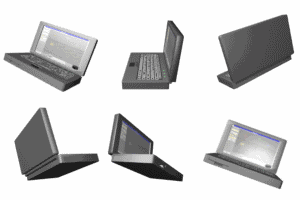
Today I will guide you how to buy an Ultra-Portable Notebook

1. Look carefully at the core components on offer before parting with your cash. If you run intensive applications, opt for at least 512Mbytes of memory (1Gbyte if the notebooks' operating system is a flavour of vista) and a 1Ghz processor. if you are on a tight budget, opt for a faster CPU over more RAM, as you can always upgrade memory easily in the future.

2.If you travel a lo
t and need to get work done when on the go, it's a good idea to find out about the battery options on offer before buying an ultra-portable. While most feature four-cell battery configurations, some vendors offer up six and seven eight-cell set-ups, which can boost battery life immensely. Consider a second battery option too.

3. Should you create lots of data, spend extra for as large a hard drive you can afford.

4. If your work or business has turned you into a globetrotting extraordinaire, it's worth looking into whether or not the model you are keen on is covered by an international (or at least regional) warranty. This ensures you'll be able to get help when you're abroad if you face hard ware problems.

And that is all for today. Next time i will share you tips on buying a PDA/Smartphone so do come by again. Ciao!!